HalalVerify: the halal scanner app
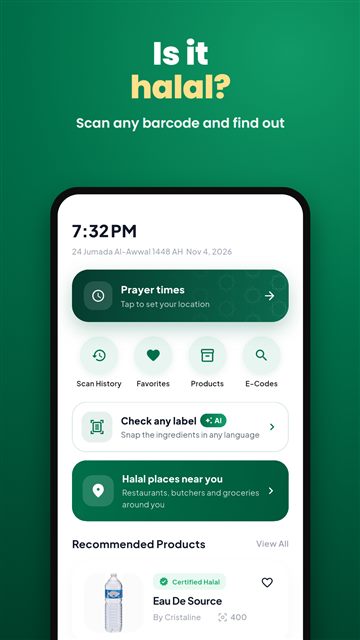
Is it halal? Scan the barcode of packaged food and see the answer in seconds, with every ingredient explained: halal, doubtful (mashbooh) or haram, and why.
HalalVerify (also written Halal Verify) is a free halal checker for Android. It is the app for this website: the same product records, the same published checking method, in your pocket while you shop.

Free, with ads. Android 7 or newer. No account needed to start scanning.
How the halal scanner works
- Scan the barcode on the pack, or search by product name.
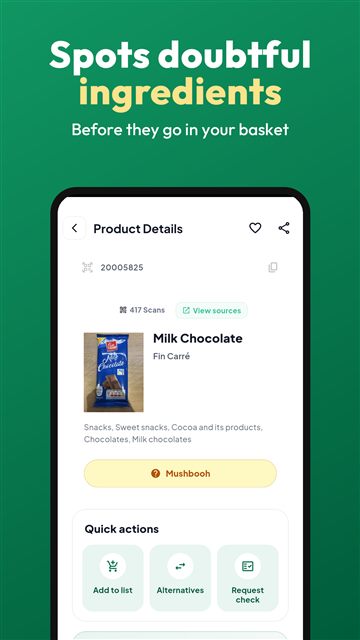
- See the halal status: halal suitable, doubtful (mashbooh), haram, or certified halal when the pack carries a halal label.
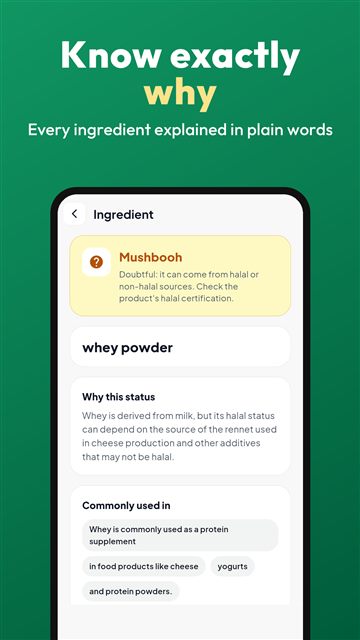
- Read the reason for each ingredient and E-number, so you know exactly which one makes a product doubtful or haram.
Recipes can differ between countries, so always compare with the pack in your hand. HalalVerify is an ingredient check, not a halal certificate; when the source of an ingredient is unknown, it says so instead of guessing.
What the app does
Halal food checker
Barcode scanning for packaged food, with tens of thousands of products checked from their ingredient lists.
E-number checker
Every E-number from E100 to E1521 with its halal status. Also on the web: E-numbers list.
Ingredient explanations
Gelatine, whey, rennet, carmine (E120), E471, glycerin, vanilla extract and more, explained in plain words.
Prayer times and Qibla
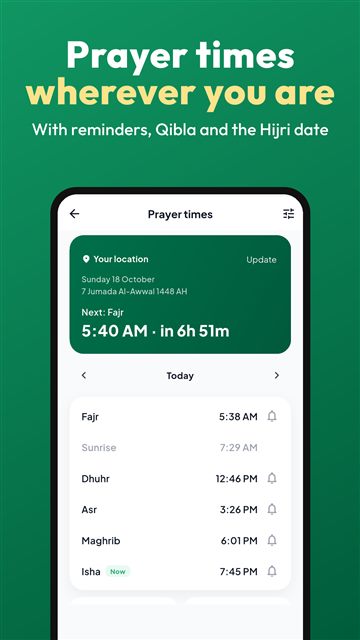
Prayer times for your location with reminders, a Qibla compass, the Hijri date and a Ramadan countdown.
Halal places nearby
Halal restaurants, butchers, groceries and mosques on a map.
Every day
Shopping lists, scan history, duas and adhkar, a tasbih counter, a Zakat calculator and a "Halal or Haram?" quiz, in 15 languages.
Questions about the app
Is the HalalVerify app free?
Yes. HalalVerify is free to download and use. It shows ads, and there is nothing to pay to scan products or read the ingredient explanations.
Is HalalVerify a halal certificate?
No. HalalVerify checks a product's ingredients against a published method and shows the halal status with the reason for each ingredient. When a pack carries a halal certification label, the app shows it; a certificate itself comes from a certification body.
Which phones does it work on?
The app is on Google Play for Android phones (Android 7 or newer). On an iPhone or a computer you can check the same products on halalverify.co.
Do I need an account?
No. You can scan and check products straight away. Signing in is only needed to keep favourites and shopping lists on more than one device.
What if a product is missing or wrong?
Report it from the product screen in the app, or through the contact page. Products are reviewed and updated, and new products can be added from a photo of the ingredient list.
Prefer the browser? Check a product by barcode or name on the website, or read how to check food without a halal label.